Sending money from M-PESA to I&M Bank is easy, fast, secure, and available 24/7. The same goes for withdrawals from I&M to M-PESA.
This guide walks you through every method available in 2026 from smartphone apps to USSD codes. The goal is to help you figure out the best transfer method for your situation.
Quick Overview Table:
5 Methods to Transfer Money Between M-PESA and I&M Bank in 2026
|
Method |
Direction |
Best For |
|
M-PESA Paybill (542542) |
M-PESA → I&M Bank |
Any phone |
|
M-PESA Xpress (Browser) |
M-PESA → I&M Bank |
Laptop or desktop users |
|
I&M OTG App |
I&M Bank → M-PESA |
Smartphone users |
|
OTG Web Portal |
I&M Bank → M-PESA |
Browser/desktop users |
|
USSD *458# |
I&M Bank → M-PESA |
No internet needed (Kabambe Users |
How to Send Money from M-PESA to Your I&M Bank Account
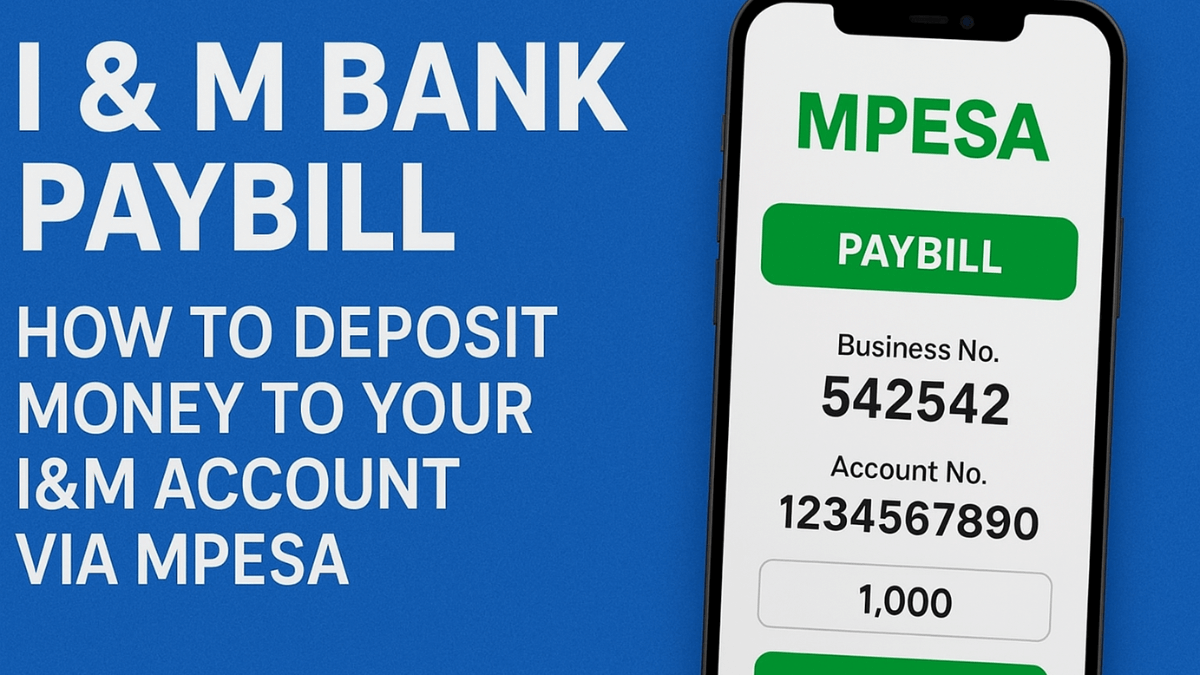
Method 1: M-PESA Paybill Number 542542 (Works on Any Phone)
This is the most widely used method, and it works on any Safaricom line, whether you have a smartphone or a mulika mwizi (feature phones).
- Open M-PESA from your phone's SIM toolkit.
- Select Lipa na M-PESA.
- Choose Pay Bill.
- Enter the I&M Bank Paybill number: 542542.
- Enter your I&M Bank account number (14 digits). If you're unsure, you can also use the mobile number registered with your I&M Bank account.
- Enter the amount you want to deposit.
- Enter your M-PESA PIN to confirm.
You'll receive two messages.
One of the messages will be from Safaricom and the other will be from I&M Bank. Saf's message will confirm successful money transfer and it will also have a transaction code. The other message from I&M will be a confirmation of your deposit.
Note this, before you enter that PIN, take a moment to double-check the account number. Transfers go through instantly and cannot be reversed.
Check the latest 2026 MPESA Charges for sending and withdrawing money.
Method 2: M-PESA Xpress via the I&M Bank Website
If you prefer doing the transaction using a laptop or desktop? M-PESA Xpress lets you initiate the transfer through a browser. However, you still need to have your phone with you toto approve the transaction.
Below are the exact steps to take when transfering money to I&M via M-PESA Xpress.
- Go to www.imbankgroup.com and click Online Services in the top-right corner.
- Select M-PESA Xpress, then choose Transfer to Account.
- Enter your I&M Bank account number and the amount you want to send.
- Enter your M-PESA number in this exact format: 2547XXXXXXXX.
- A prompt will appear on your phone. Enter your M-PESA PIN to complete the transaction.
Tip: Make sure your phone screen is not locked when you initiate this. The M-PESA prompt can be missed if the screen goes off before you respond.
How to Send Money from Your I&M Bank Account to M-PESA
Withdrawing money from I&M Bank to Mpesa is free of charge. Also, its free to send money from I&M Bank to any M-PESA number. This advantage makes it a solid alternative to ATM withdrawals.
Method 1: I&M OTG App (Fastest Option for Smartphone Users)
The OTG App is available on Android (Google Play) and iOS (App Store). You'll need to be registered for OTG before using this method.
- Log in to the I&M OTG App.
- Tap Payments.
- Under the Mobile tab, select Mobile Money.
- Choose the I&M Bank account you want to send from.
- Select a saved recipient or enter the M-PESA number manually.
- Enter the amount.
- Tap Next, confirm the details, and select M-PESA.
- Tap Send Money, then enter the OTP sent to your phone to complete the transaction.
The transfer is instant, and the recipient gets an M-PESA notification within seconds.
Read also the updated step by step guide on transfering money from Pochi to Mpesa in 2026.
Method 2: OTG Web Portal (Browser Option)
If you're on a desktop or prefer not to use the app, the OTG web portal gives you the same functionality. OTG registration is required.
- Log in to the OTG web portal.
- Click the Money Transfer tab.
- Select Send Money to Mobile.
- Choose your I&M Bank account.
- Enter the recipient's mobile number.
- Click Continue, verify all details, then click Submit.
- Enter the OTP sent to your registered number to authorize the transfer.
Method 3: USSD *458# (No Internet Required)
No data? No problem. This method works anywhere you have a basic Safaricom signal, no smartphone required.
- Dial *458# on the Safaricom number linked to your I&M account.
- Select Mobile Money (Option 5).
- Select Account to M-PESA (Option 1).
- Follow the on-screen prompts to enter the recipient's number and amount.
- Confirm the transaction to complete.
The recipient gets an M-PESA notification right away, and the transaction will appear on your I&M Bank statement, which you can also access via the USSD mini-statement option.
Things to Know Before You Transfer
Transfers from I&M to M-PESA are free. No transfer fees apply when sending from your bank account to an M-PESA number. If you've been avoiding this method assuming there were charges, there aren't.
Double-check everything before confirming. All transfers in both directions are processed instantly. There is no waiting period and no guaranteed way to reverse a completed transaction, so take two seconds to verify the number and amount before you hit confirm.
Your OTP and PIN are yours alone. No one from I&M Bank or Safaricom will ever call or text asking for your M-PESA PIN or OTP. If anyone does, end the call.
For current limits and fees, the most reliable source is the official I&M Bank website or their customer support line. These figures can change, and it's always better to confirm directly.
All methods are available 24/7, though occasional scheduled maintenance may temporarily affect service.
Need Help?
If a transaction doesn't go through or you run into an error, reach out through any of these channels:
- Website: www.imbankgroup.com
- In-app support: Available through the I&M OTG App
- Branch visit: Walk into any I&M Bank branch with your transaction reference code
If you found this article insightful, check out our guide on Depositing Money From Mpesa to Co-operative Bank.