PayPal and M-Pesa are directly integrated in Kenya, letting you move money between the two platforms without routing through a bank. The service runs on a partnership between Safaricom and PayPal, powered by Thunes.
If you’re wondering how to get started with PayPal to M-Pesa transactions and vise-versa, this guide will walk you through linking your accounts, withdrawing funds, and even topping up your PayPal account using M-Pesa.
What You Need
- An active M-Pesa account registered with Safaricom using your real details (ID mainly).
- A verified PayPal account
- The name on both accounts must match, failure you might find yourself in pitfalls of PayPal needs to confirm my identity where you are asked to submit your Identification card and in some cases they follow up with proof of address which is often tricky.
Also read: Why Verifying Paypal's Proof of Address Is a Challenge for Many Kenyans.
How to Link PayPal to Mpesa in 2026
Linking PayPal to your M-Pesa account is easy. It is done through the M-Pesa Super App (My OneApp). It is no longer being done via browser as it used to in the past. Below are the steps to link PayPal to M-Pesa.
- Open the M-Pesa App on your Phone which has been rebranded to My OneApp. If you dont have the app simply download it via Playstore or Appstore.
- Navigate to the PayPal Mini App and tap Link Account
- Log in with your PayPal credentials
- Accept the account linking confirmation
- Enter your M-Pesa PIN to complete the link
Once linked, the app presents two options: Top Up and Withdraw.
How to Withdraw from PayPal to M-Pesa
You can only withdraw from your USD balance. If your PayPal balance is in another currency, convert it to USD within your PayPal account first.
- Open the M-Pesa Super App and go to the PayPal Mini App
- Tap Withdraw
- Enter the amount in USD — the equivalent in KES, the exchange rate, and estimated processing time are displayed before you confirm
- Tap Confirm
Transactions process instantly. You'll receive a confirmation SMS.
Fee: 3% of the transaction amount, applied on the daily exchange rate. Note that PayPal's USD/KES rate also carries a margin below mid-market, so the effective cost is higher than the stated fee alone.
How to Top Up Your PayPal from M-Pesa
- Open the M-Pesa Super App and go to the PayPal Mini App
- Tap Top Up
- Enter the amount in USD to see the KES equivalent
- Confirm and enter your M-Pesa PIN
The same 3% fee applies. Funds typically reflect in your PayPal account within minutes.
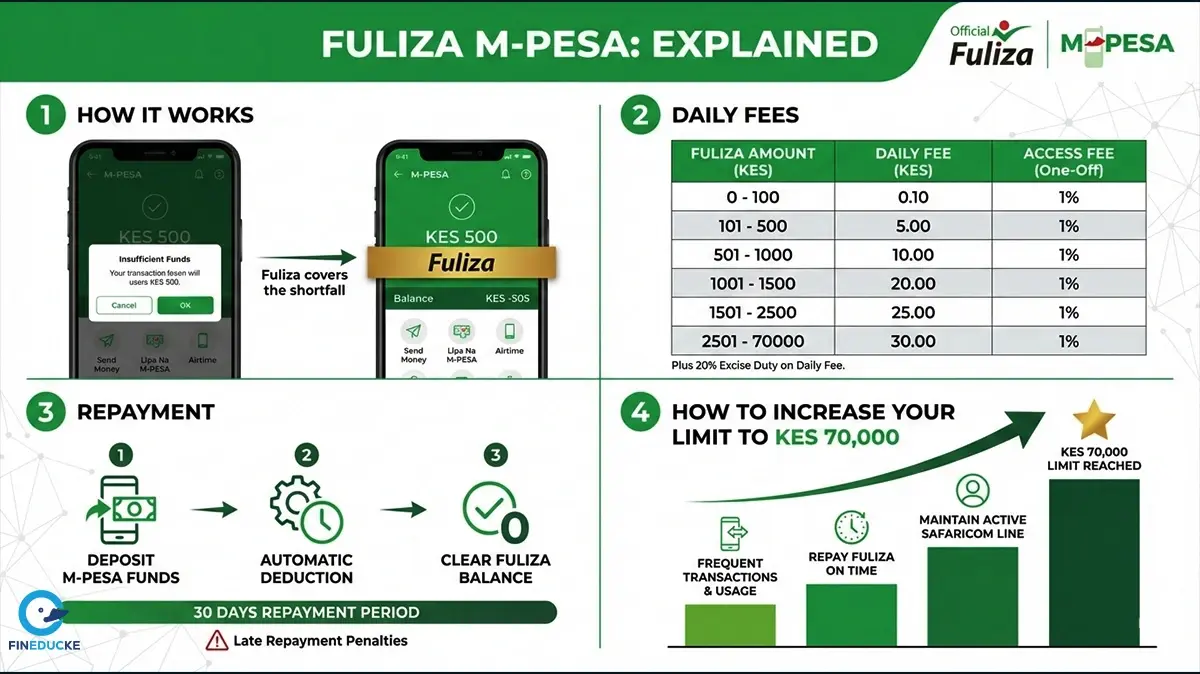
If your M-Pesa balance is insufficient, Fuliza can cover the shortfall — subject to your eligibility and available limit.
Transaction Limits
|
Limit |
Amount |
|
Per transaction |
KES 250,000 |
|
Per day |
KES 500,000 |
These follow standard M-Pesa limits.
Things Worth Knowing
Transfers are between your own accounts only. You cannot use this service to send PayPal funds to another person's M-Pesa.
Business accounts are not available in Kenya. If you're receiving sustained commercial income through PayPal, set up Wise or Payoneer in parallel — PayPal's personal account restrictions make it unreliable as a primary payout rail.
Account restrictions are common. PayPal frequently restricts Kenyan accounts flagged for commercial transactions on personal accounts. Resolution typically takes 7–14 days.
Support
- M-Pesa issues: Call Safaricom on 100 (prepaid) or 200 (postpaid)
- PayPal account issues:paypal.com/ke/smarthelp/contact-us